

Web Marketing Tips: Pinterest and Commerce
Alan Robezzoli • June 23, 2015
People use Pinterest to collect images of things that inspire them: dessert recipes, interior design ideas, apparel, and more. If you are a business that sells consumer goods, then your customers are probably already on
Pinterest. This article will talk about how you can use Pinterest as a platform to drive sales of your products!
Many users treat their Pinterest boards as aspirational collections—products that they would like to buy but haven’t yet. They may not be ready to purchase when they pin the item, but they’ll return to the board later and possibly purchase it then.
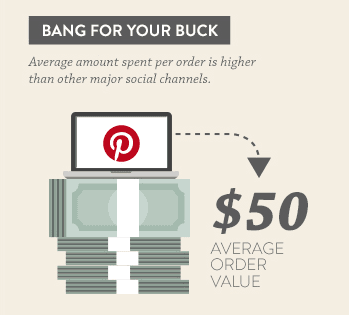
Shopify recently teamed up with Pinterest to collect data on commerce and the Pinterest platform, and they discovered the average order value coming from Pinterest was $50!
Two million people pin products on Pinterest daily, and 93% stated on a survey that they use Pinterest to plan purchases. Not every user is pinning products every day though, as 73 million people login to Pinterest each month.
Those findings make it pretty clear. If you sell consumer goods online, you should have a presence on Pinterest!
Some other finds from the data diving showed that in the last two years, mobile orders from Pinterest increased 140%. Mobile now makes up 80% of the orders that come from Pinterest! (Your online shop is optimized for mobile, right?)
How to Use Pinterest to Boost Sales
There are 3 main steps get you pinning and selling!
1. Sign up for a Pinterest Business Account. This will allow you to create Rich Pins that include pricing, availability, and information on where to buy the product.
2.Add the Pin It Button to the product pages of your online shop. This will allow customers to pin the product to their boards where followers will see it. (If you don’t know how to do this, we can help.)
3. Pin and analyze! After setting up your business account, create a board that showcases some of your products. Follow other users and engage with the community. Once you are established, check out Pinterest Analytics to get data on what other people are pinning from your website.
1. Sign up for a Pinterest Business Account. This will allow you to create Rich Pins that include pricing, availability, and information on where to buy the product.
2.Add the Pin It Button to the product pages of your online shop. This will allow customers to pin the product to their boards where followers will see it. (If you don’t know how to do this, we can help.)
3. Pin and analyze! After setting up your business account, create a board that showcases some of your products. Follow other users and engage with the community. Once you are established, check out Pinterest Analytics to get data on what other people are pinning from your website.
Next Steps
Hopefully you are pumped up and ready to increase your sales through Pinterest! If you follow the three steps above and still feel a little unsure about how to create a good pin, check out this article on how to create great pins. Good luck and happy pinning!
This post is based on an article by Dayna Winter — How Pinterest Drives Online Commerce

Google Ads landing pages that convert: match the ad's promise, improve landing page experience and Quality Score, design for phones, and cut form friction.

Off-page SEO explained for small businesses: how to earn backlinks properly, what Google calls link spam, and how citations, reviews and PR build authority.

Core Web Vitals for small business: what LCP, INP and CLS measure, how much they affect rankings and revenue, and the mobile-first fixes that speed up a site.

GA4 conversion tracking for small businesses: plan key events, set up Google Tag Manager, test in DebugView and choose the right GA4 attribution settings.

On-page SEO guide for small businesses: map keywords to pages, write title tags and meta descriptions, structure headings, and build internal links that rank.

Google Ads campaign structure explained: when to split campaigns, how tight ad groups should be, which match types to use, and how audience targeting works.