

Web Design Tip #3 of 7: Create a Killer Home Page
Alan Robezzoli • October 15, 2011
This is post #3 in a 7-part series on guiding your web design project to ensure long-lasting results. Although produced for our clients in the greater Reading, PA and surrounding areas (Philadelphia, Lancaster, York, Allentown, and Harrisburg), these timeless web design principles are universal. For all 7 tips, see the end of this post to download […]
Go For a Clean and Intuitive Home Page Design
Your website’s home page is the face of your business, and the starting point for browsing the rest of the site. The stakes are high. Therefore, when designing for the home page, remember that you have ONE CHANCE to make a first impression and to define what you site has to offer, and to help viewers grasp how your site is organized. Your home page must communicate QUICKLY and CLEARLY, or visitors may abandon it for the other sites that are just one click away in their search engine list.
Web Design Study Shows Desire for Simplicity, Ease of Use
A recent study by HubSpot offers helpful insights on effective home page design. Findings include:
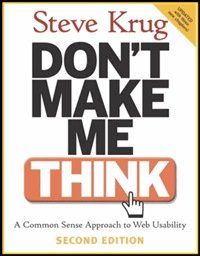
Don’t Make Me Think – A Key to Website Design That Delivers
In Steve Krug’s timeless Web design book, “Don’t Make Me Think”, he carefully details the principles of designing a home page that quickly engages the customer. The book is an easy read and filled with practical and memorable tips. Among them is one overarching principle: make everything SELF-EVIDENT. That means everything must be clear, obvious, and self-explanatory. Anything less slows the viewing experience and increases the rate of abandonment, or at best reduces the amount of time spent on your site.
Steve’s excellent book may be purchased through many online outlets. For your convenience, you may also purchase it by clicking it in the Recommended Reading list In the left column of this blog.
Stay Tuned for More Web Design Tips
Stay tuned for additional Web Design posts. You may also download the white paper on which this post is based by clicking the image below.


Multi-channel attribution for small business: why last-click misleads, how data-driven attribution works, and how to credit calls, offline sales and social.

Marketing KPIs for small business, stage by stage: build a KPI framework from your revenue goal and track awareness, leads, close rate and acquisition cost.

Google Ads landing pages that convert: match the ad's promise, improve landing page experience and Quality Score, design for phones, and cut form friction.

Off-page SEO explained for small businesses: how to earn backlinks properly, what Google calls link spam, and how citations, reviews and PR build authority.

Core Web Vitals for small business: what LCP, INP and CLS measure, how much they affect rankings and revenue, and the mobile-first fixes that speed up a site.

GA4 conversion tracking for small businesses: plan key events, set up Google Tag Manager, test in DebugView and choose the right GA4 attribution settings.